Proxy Pattern
Overview
The Proxy Pattern uses a Proxy intercept and control interactions to target objects.
Let's say that we have a person object. We can access properties with either dot or bracket notation,
and modify property values in a similar fashion.
With the Proxy pattern, we don't want to interact with this object directly. Instead, a Proxy object intercepts the request, and (optionally) forwards this to the target object - the person object in this case.
Implementation
In JavaScript, we can easily create a new proxy by using the built-in Proxy object.
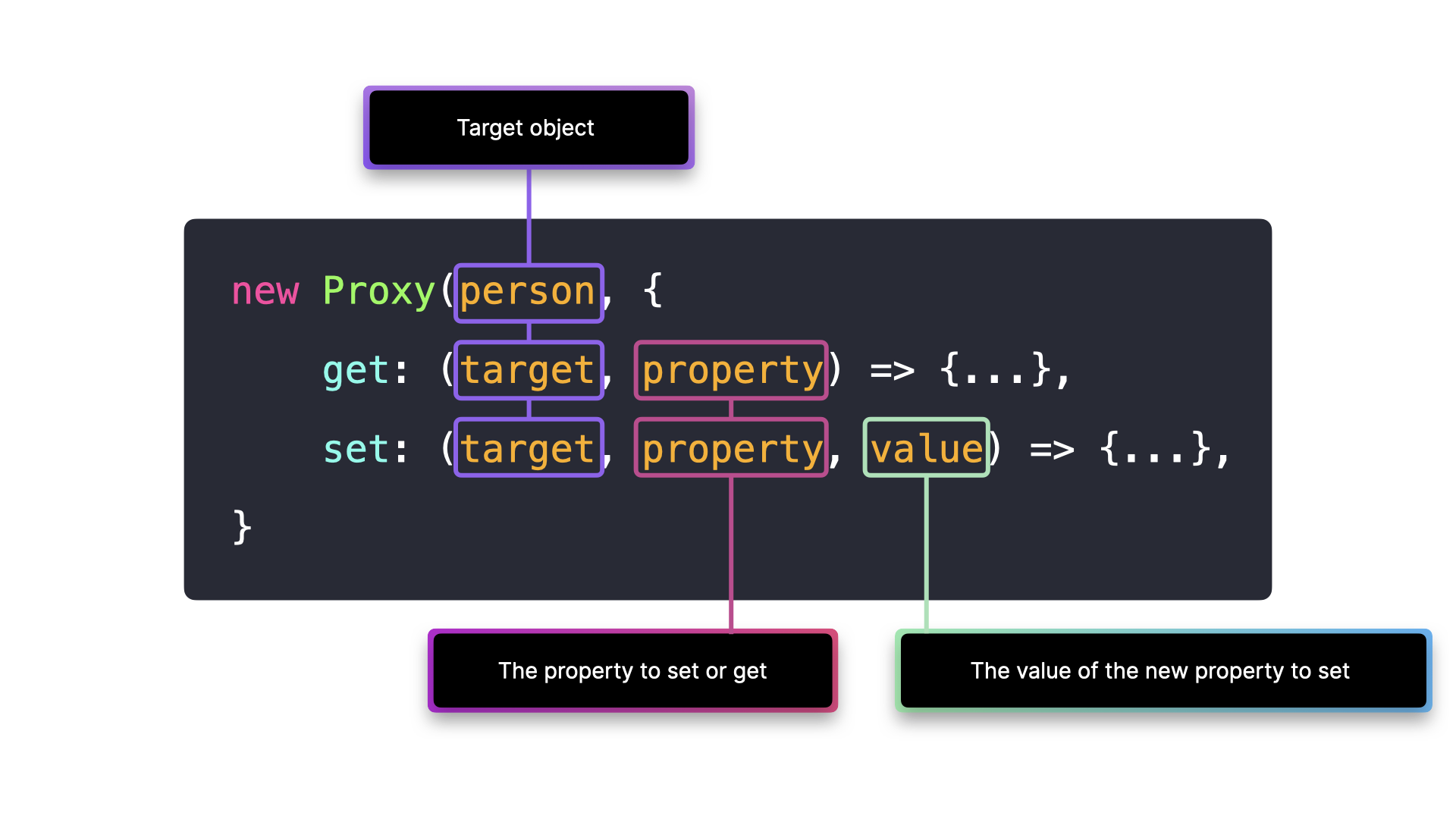
The Proxy object receives two arguments:
- The target object
- A handler object, which we can use to add functionality to the proxy. This object comes with some built-in functions that we can use, such as
getandset.
The get method on the handler object gets invoked when we want to access a property, and the set method gets invoked when we want to modify a property.
const person = {
  name: "John Doe",
  age: 42,
  email: "[email protected]",
  country: "Canada"
}

const personProxy = new Proxy(person, {
  get: (target, prop) => {
    console.log(`The value of ${prop} is ${target[prop]}`)
    return target[prop]
  },
  set: (target, prop, value) => {
    console.log(`Changed ${prop} from ${target[prop]} to ${value}`);
    target[prop] = value;
    return true;
  }
});
Reflect
The built-in Reflect object makes it easier to manipulate the target object.
Instead of accessing properties through obj[prop] or setting properties through obj[prop] = value, we can access or modify properties on the target object through Reflect.get() and Reflect.set(). The methods receive the same arguments as the methods on the handler object.
const personProxy = new Proxy(person, {
  get: (target, property) => {
    return Reflect.get(target, property);
  },
  set: (target, property, value) => {
    return Reflect.set(target, property, value);
  }
});
Tradeoffs
✅ Control: Proxies make it easy to add functionality when interacting with a certain object, such as validation, logging, formatting, notifications, debugging.
⚠️ Long handler execution: Executing handlers on every object interaction could lead to performance issues.